Meet the Control Center
Installation left you logged into the WordPress admin. Click Membership in the admin menu and you're on the Control Center: one screen with a card for every configuration page Torii has.
You never have to memorize the admin menu. Everything is here, grouped, and searchable.
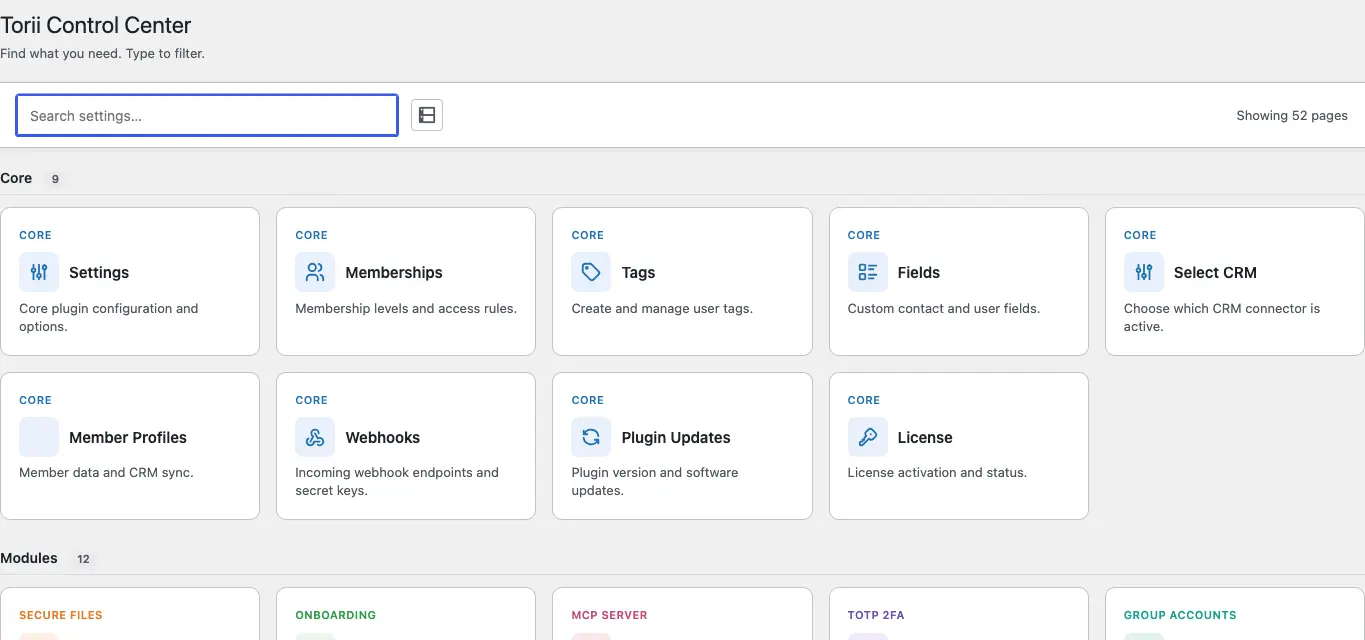
Search
Click the search field and type. Cards filter as you type, across titles, descriptions, and keywords the pages register behind the scenes, so "2fa" finds the TOTP settings even though the word isn't on the card. The count next to the field ("Showing N pages") updates as the filter narrows.
If nothing matches, the screen says so and asks you to try another term. Clear the field and everything comes back.
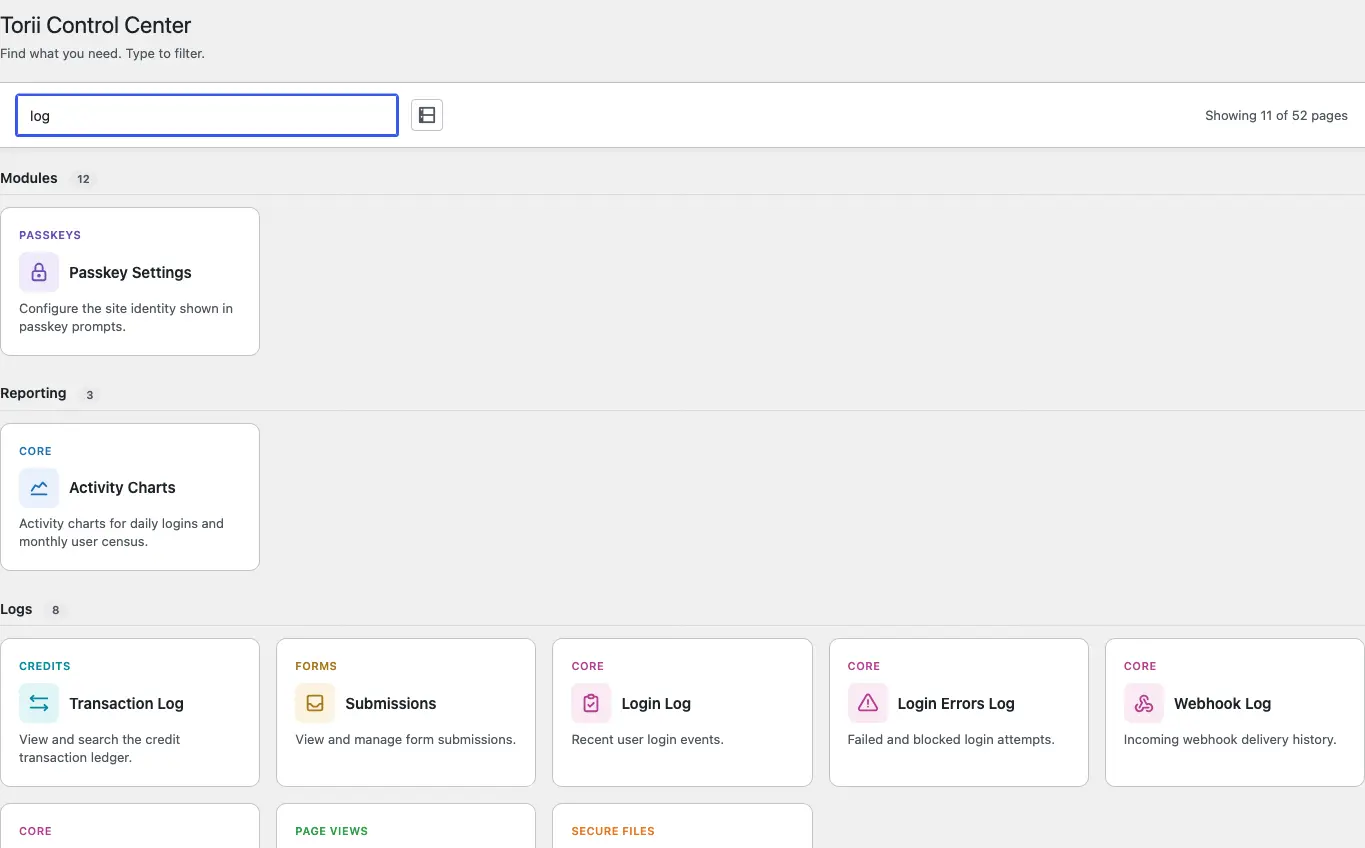
The card grid
Cards are grouped by what they're for:
- Core: the parts every site uses (settings, memberships, tags, fields, webhooks, license).
- Modules: the optional features you've enabled, plus your connected CRM.
- Sushi LMS: courses, lessons, quizzes, enrollments, certificates.
- Content & Tools: smart blocks, directories, cohorts.
- Members: member-facing screens.
- Security: login protection and hardening.
- Forms: form building and submissions.
- Reporting: activity charts and metrics.
- Logs: the log viewers (logins, webhooks, events, page views).
Two things shape what you see. Enable a module and its cards join the grid; disable it and they leave. And each card respects your account's capabilities, so an editor sees a shorter list than you do.
Next to the search field is a compact-view toggle. It's a personal preference (comfortable or dense cards) and each admin's choice is remembered separately.
The Modules panel
At the bottom of the screen is a collapsible panel labeled Modules with a running count ("14 of 18 enabled") and a switch for every optional module.
Flip a switch and the module's screens disappear from the admin. Its data stays put; turn it back on later and everything is where you left it. The card grid above updates in place, no page reload.
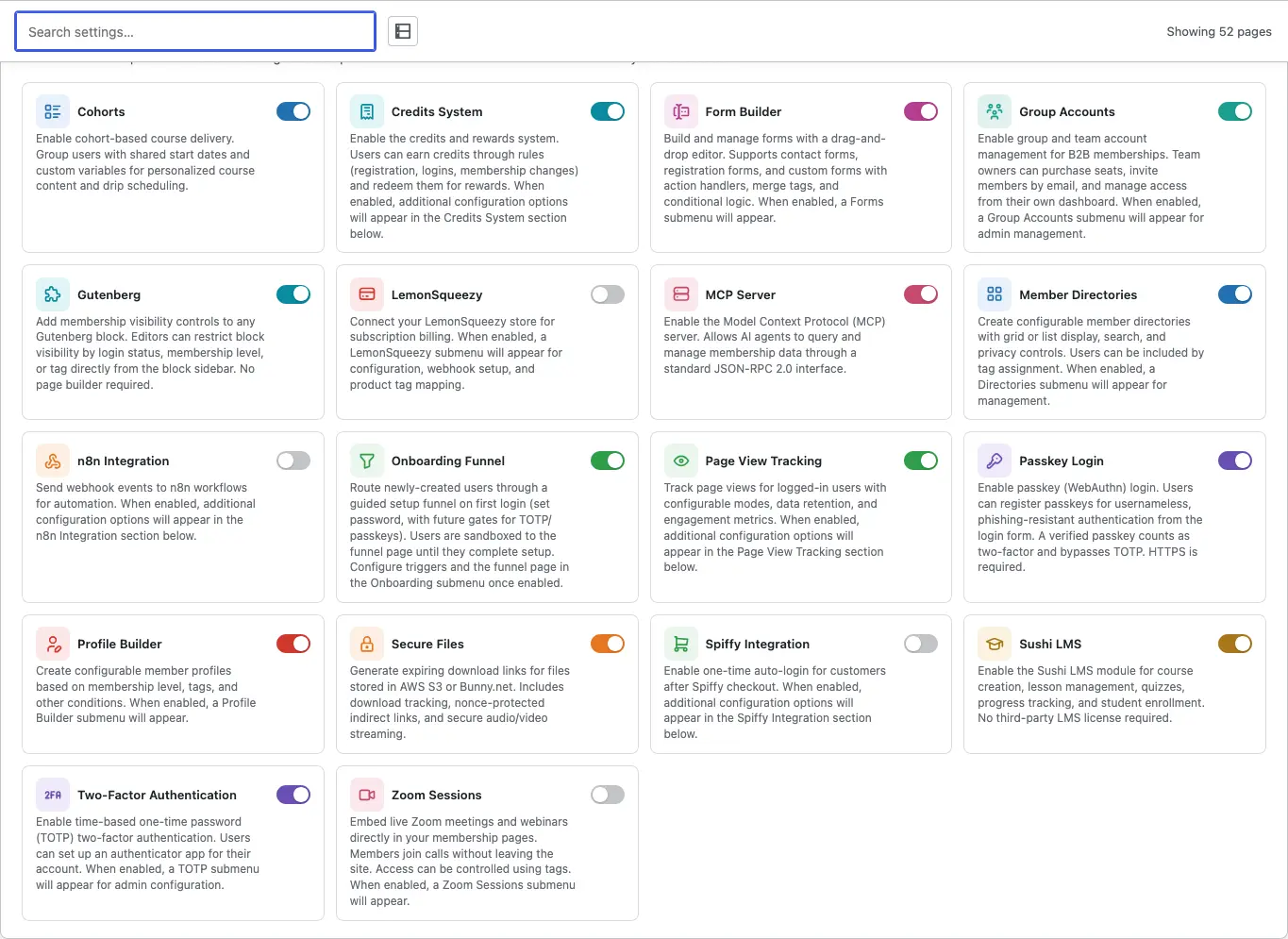
This panel is also the answer to "why don't I see X?": if a page is missing, check whether its module is switched on before anything else.
Where to go next
Now that you know your way around, connect your CRM; most of what Torii does rides on that connection.