Quizzes
A quiz is a post that holds configuration, plus questions attached from a shared bank. Attach a quiz to a lesson, a module, or the course itself. Where you attach it decides what finishing it means: a quiz attached to a module or course is a requirement for completing that module or course, and a lesson quiz completes with the lesson.
The question bank
Sushi LMS > Question Bank holds questions independent of any quiz, so you build a library once and reuse it. Six types are supported:
- Multiple choice, single answer: pick one option
- Multiple choice, multi answer: pick every correct option; the whole set must match
- True / false
- Short answer: free text matched against a list of accepted answers, case-insensitive, so "Steps", "steps", and "STEPS" all pass
- Fill in the blank: one or more blanks, each with its own accepted answers; every blank must match
- Numeric: a number with a tolerance you set, for answers where rounding matters
Each question carries points, an optional hint shown while taking the quiz, and an explanation shown after grading. The grading method is per question: auto grades instantly, manual waits for a person, and hybrid grades instantly but flags the answer for review.
Quiz settings
On the quiz edit screen, the Quiz Settings box holds the rules:
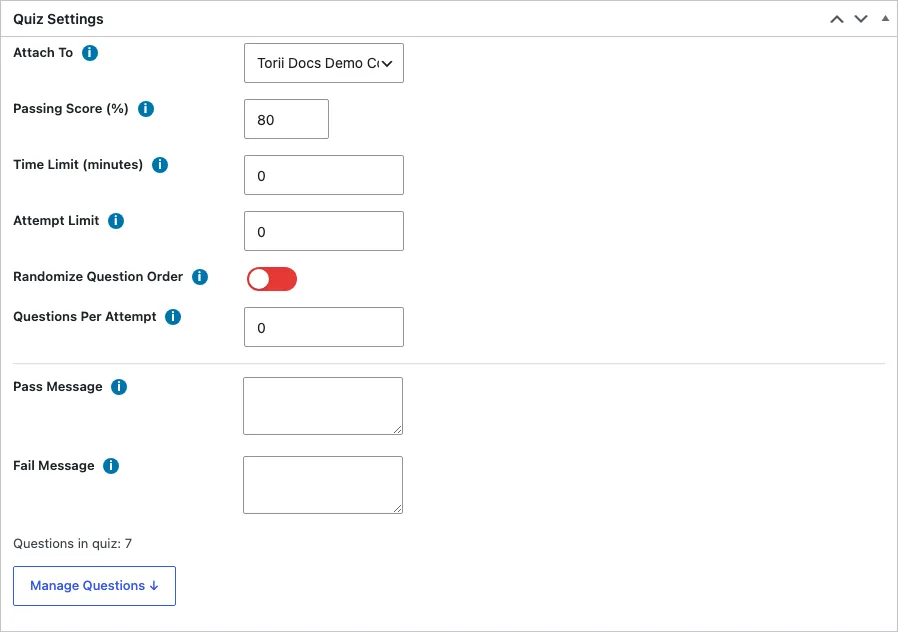
- Attach To: the lesson, module, or course this quiz belongs to
- Passing score: the percentage needed to pass, 80 by default
- Time limit: minutes, zero for none. The timer runs in the member's browser, and the server enforces the cutoff: a submit that arrives after expiry is graded only on what was saved before time ran out, never on answers stuffed into the expiring request
- Attempt limit: how many times a member may take the quiz, zero for unlimited. Attempts abandoned mid-way do not count against the limit; only submitted attempts do
- Randomize: shuffle question order per attempt
- Questions per attempt: serve a random subset of the attached questions, the count you set
- Pass and fail messages: what the member sees with their result
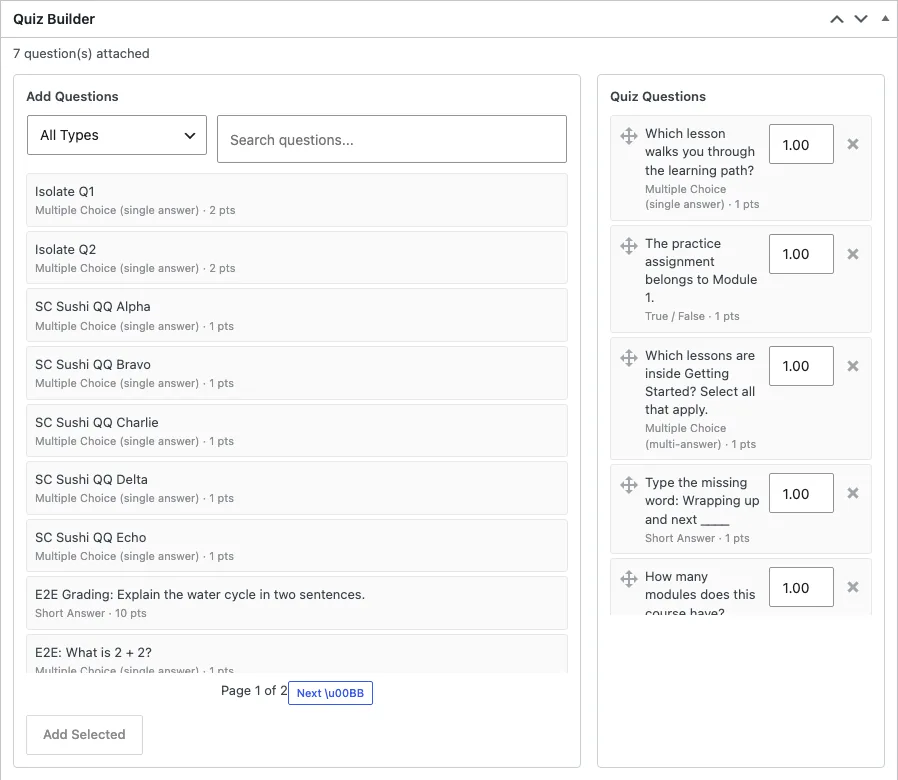
The Quiz Builder below it attaches questions from the bank, orders them, and overrides points per quiz when a question should be worth more here than elsewhere.
Taking a quiz
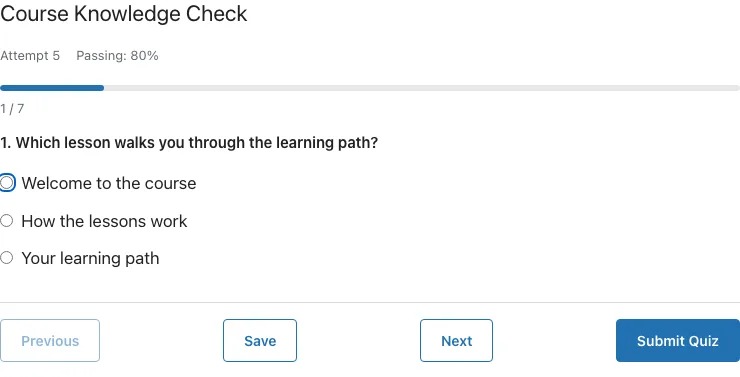
Members take quizzes on the quiz page, one question at a time, with prev/next navigation, a progress bar, and a running timer when one is set. Answers save as the member moves between questions, so a dropped connection does not lose work. The submit confirms with a warning when questions are unanswered, because unanswered questions score zero and count toward the maximum: skipping is a strategy that fails a quiz, not a way around it.
When randomization or per-attempt subsets are in play, the question set is fixed the moment the attempt starts. Reloading, reconnecting, or resuming on another device serves the same questions in the same order, and the graded set is exactly the set that was served.
Retries start a fresh attempt with a fresh question order. The quiz page shows the member's best result alongside the latest.
Grading
Auto questions grade at submit; the member sees pass or fail, their percentage, and per-question explanations immediately. Manual and hybrid questions route to Sushi LMS > Manual Grading, where each written answer waits with the member's text beside the question. Grade each answer, and when nothing is left pending the attempt's score recomputes from all answers, pass or fail is re-evaluated, and the member's result updates.
A pending-count bubble on the admin menu shows how many answers are waiting.

One timing detail matters for notifications: the quiz passed and quiz failed emails fire at submit on the auto-scored portion. A hybrid quiz that passes on the auto portion but fails after manual grading sends no second email; the member sees the final result on the quiz page. If your quizzes are heavily manual, tell members that results appear after review, not instantly.
Quizzes and completion
A quiz attached to a module or course is required to complete it: all lessons plus a passing quiz attempt. Changing a quiz's passing score or adding questions mid-course does not retroactively uncomplete anyone, but members who have not yet passed face the new rules. That is the honest trade for editing a live quiz: finish your testing on a duplicate course, or accept that existing students are grandfathered on completion and new attempts follow the new rules.