Pageviews
Know what members actually read. Local page view tracking that records member reading in your own database, no external analytics required.
Google Analytics tells you about traffic. It doesn't tell you much about members, because members read behind a login wall that analytics scripts were never designed for. The Pageviews module records member page views in your own database: which member, which page, when, and for how long. No third-party script, no consent banner math, no data leaving the site.
The data answers questions a membership owner actually asks. Did the member who cancelled last month stop reading six weeks before? Which lesson in the course do people stall on? Is anybody opening the newsletter archive, or is that section dead weight? Cohort drop-off that used to be a feeling becomes a number.
All of this record keeping stays on your site. Every row is written to your own database, the tracking script is served from your own server, and nothing is sent to or stored with any external service: no analytics vendor, no ad network, no third-party script loading on your members' browsers. There is no consent banner to configure and no data-processing agreement to sign, because the data never leaves. Their reading history stays on your server, visible to you as the site operator, shared with nobody. And since it only records logged-in members, the numbers aren't diluted by drive-by visitors who were never going to subscribe.
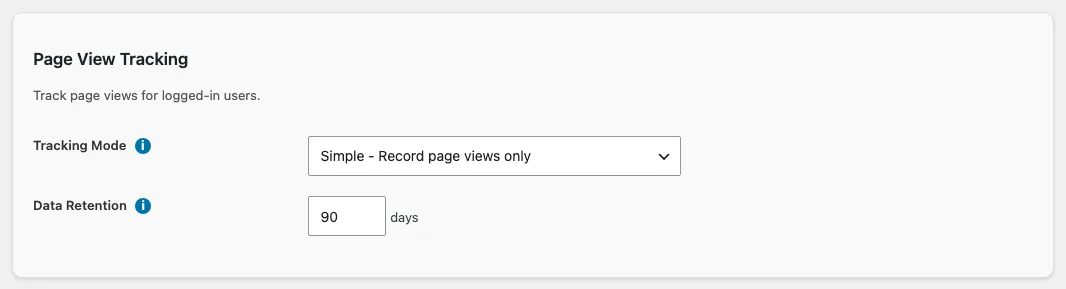
Two decisions set the module up: which tracking mode to run, and how long to keep records, covered in Reading the Page Views Log.
Admin screens
The module has two screens in the WordPress admin, both on the Control Center: Page Views in the Logs category is the log itself, and Page View Settings in the Modules category holds the tracking mode, heartbeat interval, data retention, and IP recording settings.
Articles
The page views log shows every recorded view with member, page, duration, and IP. Search it, filter it by date, and control how long records are kept.
Choosing a Tracking ModeSimple, With Duration, or With Heartbeat: what each mode records, how accurate the reading time is, and what each one costs your server.