2FA Enforcement
Enforcement is one promise: the roles you choose are required to use two-factor authentication, no exceptions and no volunteers. A member of a required role satisfies the promise with either factor, an authenticator app or a registered passkey. Until they have one, the policy rides along on every login they attempt.
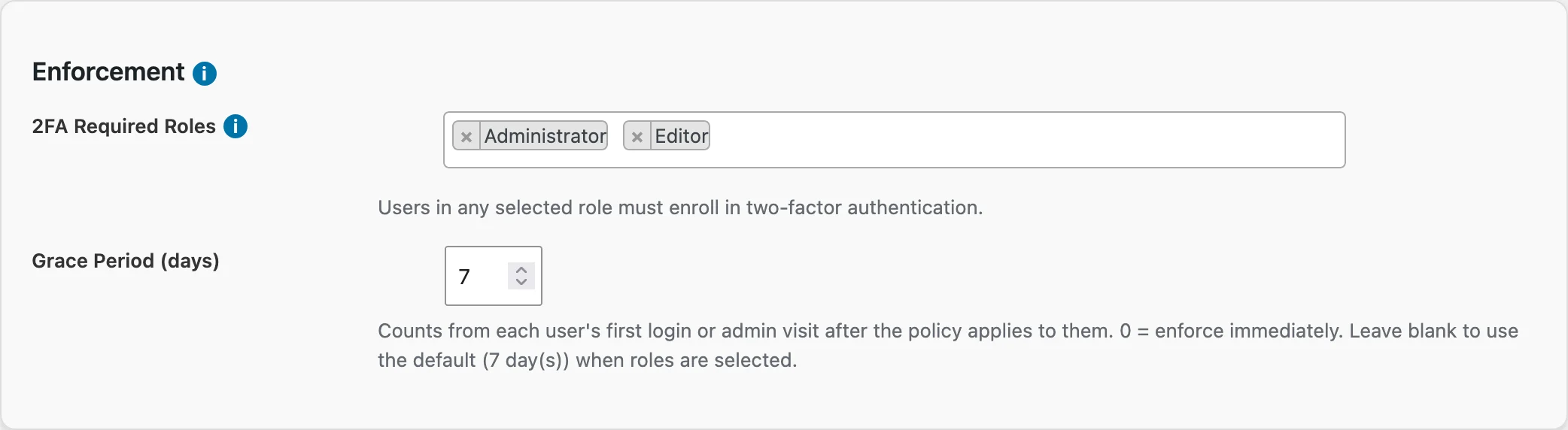
You turn the policy on from Membership → TOTP 2FA, in the Enforcement card.
The two settings
2FA Required Roles. Pick the roles that must run two-factor. Administrator and Editor are the usual choice: those accounts can damage the whole site, so they carry the strongest requirement. Hold down Ctrl or Cmd to pick several.
Grace Period (days). How long each member gets to enroll after the policy reaches them. Leave it blank and the policy uses seven days. Enter 0 and the next login goes straight to enrollment.
The grace period counts from each member's own first login or admin-area visit after the policy applies to them, not from the day you saved the settings. A member who is on vacation when you flip the switch gets their full seven days when they come back.
What members see while the grace period runs
Nothing changes at the login form. The member signs in the way they always have.
Inside the admin area, a notice appears: "Two-factor authentication is required for your account. Enroll by [date]." It carries a button that opens the enrollment form right on their profile page, so the member is never more than one click from compliance. In the final three days the notice turns red, because their next login after the deadline will not finish the way they expect.

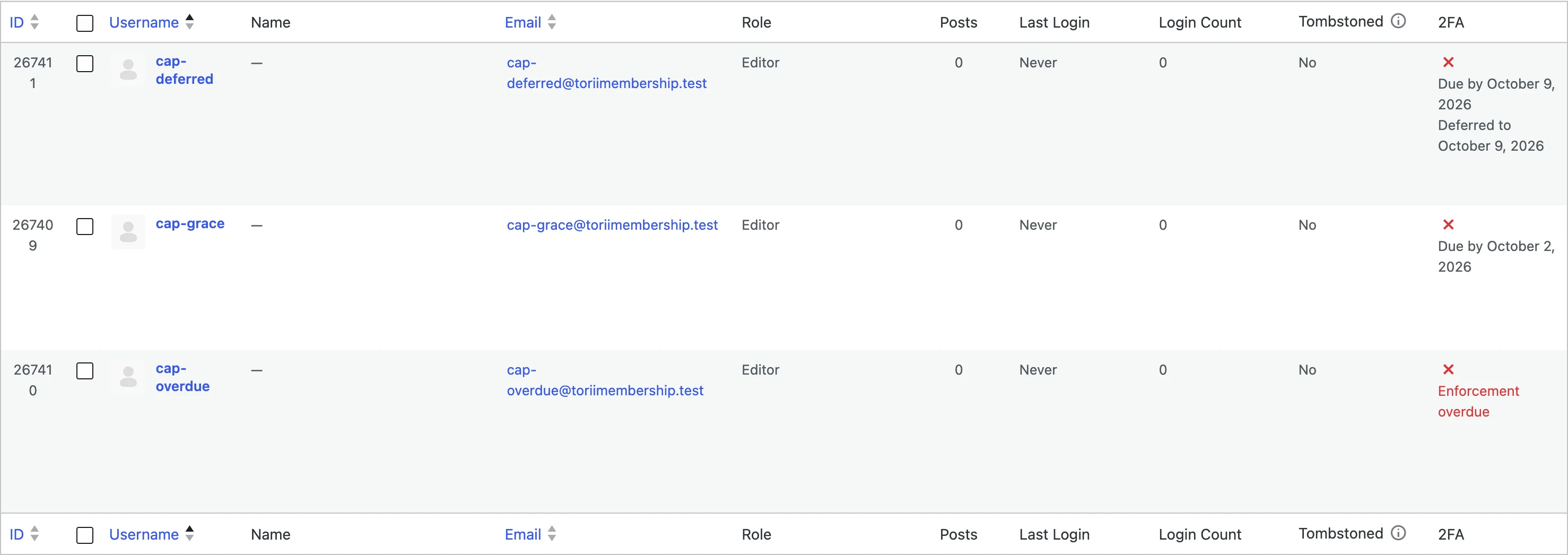
Your view is the Users list. The 2FA column shows each required member's enrollment date underneath the usual status icon: "Due by [date]" during the grace period, and red "Enforcement overdue" text once the deadline passes without enrollment.
What happens at the deadline
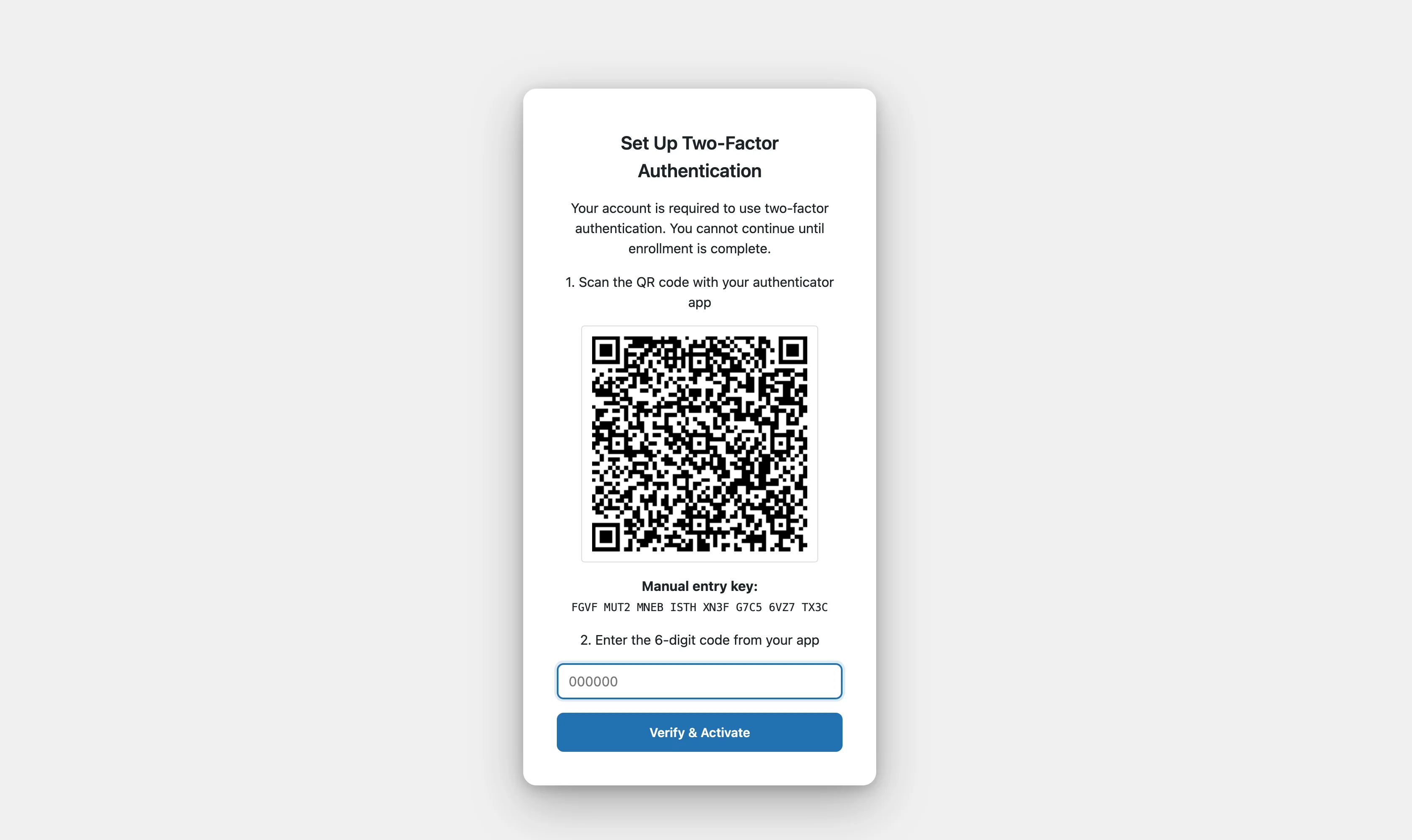
A member whose grace period has expired types a correct password, and instead of signing in they land on a full-screen enrollment page: "Your account is required to use two-factor authentication. You cannot continue until enrollment is complete."
The page shows the same QR code and six-digit confirmation the voluntary setup uses. The member scans, confirms one code, saves the recovery codes shown to them once, clicks Continue, and lands in their account as if nothing happened. Their "remember me" choice survives the detour.
There is no way past the screen. Retrying the password returns to the same page, and logging in from a different device starts at the same page. The only doors that still open are the factors themselves: a member with a passkey signs in with the passkey and never sees the enrollment screen, because the passkey already satisfies the policy.
Which factors satisfy the policy
Either one does:
- TOTP enrolled and active
- At least one registered passkey
A member who enrolled an authenticator app and then switched it off does not get a free pass. Their stored pairing still works, so the login form keeps asking for its code until they either re-enable it or register a passkey.
Deferrals and exceptions
Some members need more time: the traveling executive, the vendor account with a shared phone, the holdout who keeps "doing it tomorrow."
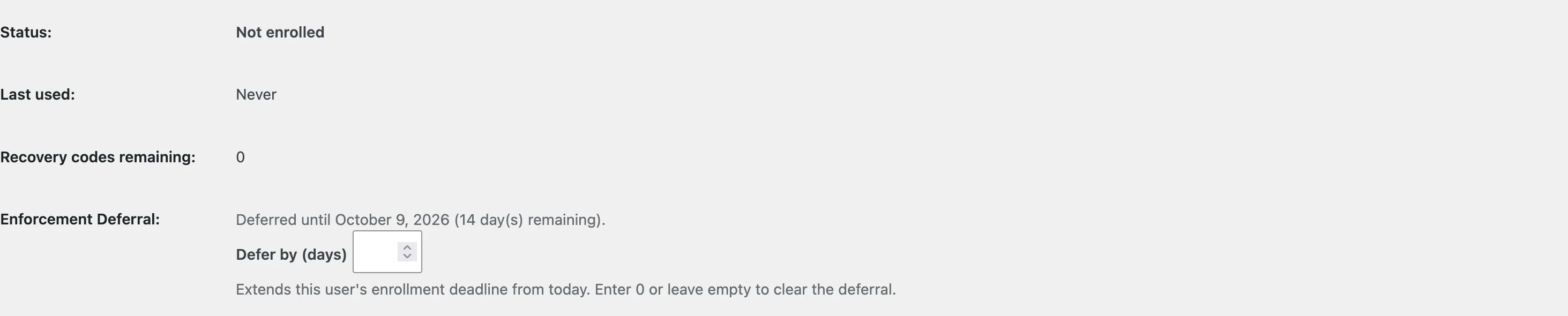
Open the member's profile in the WordPress admin. Under Two-Factor Authentication you will find Enforcement Deferral. Enter a number of days and save; the member's deadline extends from today, and the Users list shows "Deferred to [date]" so the arrangement is visible to the whole team. Enter 0 or leave it empty to clear the deferral and let the original deadline stand.
The other exception is role membership itself. Remove the member from the required role, or remove the role from the policy, and the policy releases them: their countdown stops, their notices disappear, and their login goes back to plain password.