Create Member Webhook
When someone buys or registers, HighLevel knows about it first. This webhook is how the news reaches your site: one call from a HighLevel automation creates the member account in WordPress.
The URL:
https://YOURSITE.com/?operation=create_member&membauth=YOUR_AUTH_KEYReplace YOURSITE with your membership site's domain and YOUR_AUTH_KEY with one of your webhook secret keys from the Torii settings. Once you've entered an auth key, the settings screen shows a copy-paste-ready version of the URL.
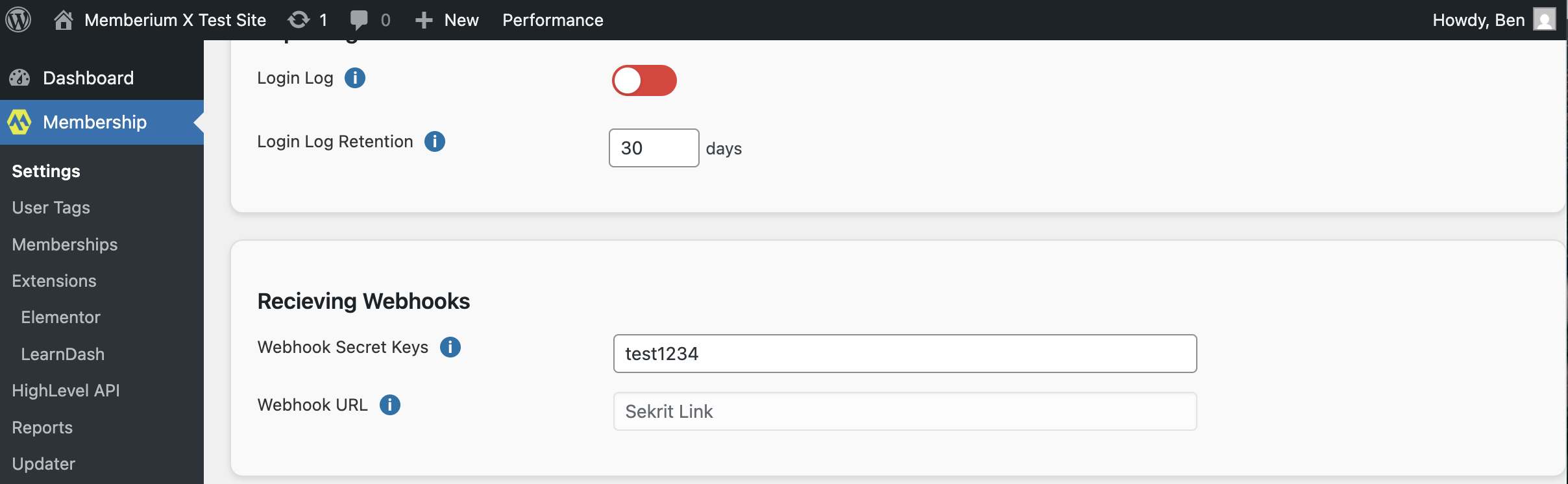
Add it to a HighLevel automation
Fire this wherever a new member appears: an order form, a landing page, a free registration form. If you already run a welcome automation, the webhook belongs in it.
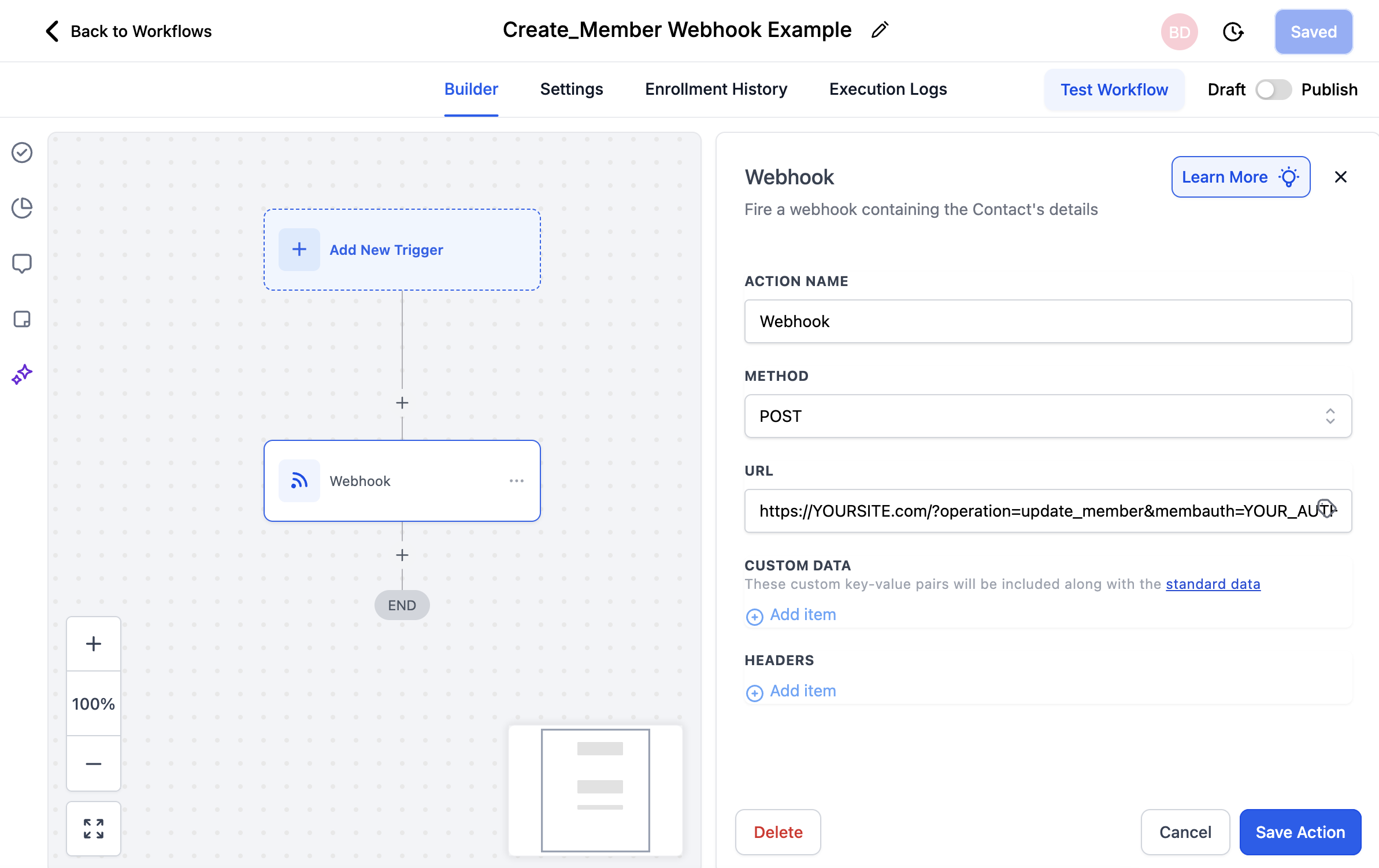
In the automation builder:
- Add a Webhook action. Name it something you'll recognize later, like "Create Member."
- Set Method to POST.
- Paste the webhook URL.
- Save and publish.
Test it
Create a contact in HighLevel, add them to the automation manually, then check Users in WordPress. The account should be there.
How the member logs in the first time
No passwords are stored in plaintext or in the CRM, so there's nothing to email them. Use Magic Links: the link is generated at account creation, and your welcome email carries it. The member clicks once and they're inside.