Update Member Webhook
Tags applied in HighLevel don't always reach WordPress on their own schedule. When you change something the member's access depends on, like applying a membership tag after a purchase, fire this webhook to sync the member immediately.
The URL:
https://YOURSITE.com/?operation=update_member&membauth=YOUR_AUTH_KEYSame as the Create Member webhook: your domain, plus one of your webhook secret keys. The settings screen shows a ready-to-copy URL once the key is in.
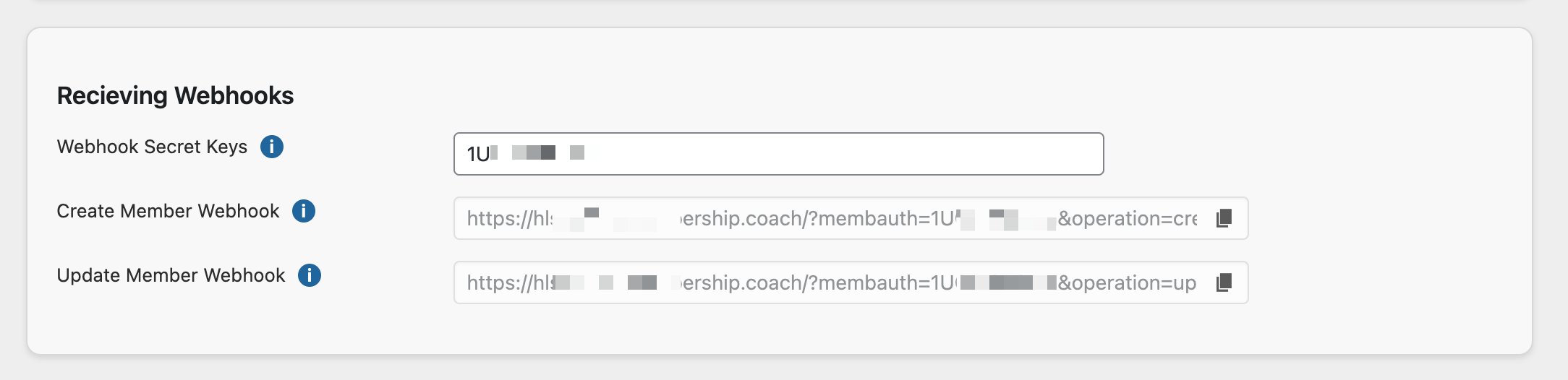
Two ways to wire it
You can paste the webhook into every automation that needs it. That works until the day the URL or auth key changes and you're editing fifteen automations by hand.
The better pattern is a SyncTrigger tag, and it takes about the same effort to set up:
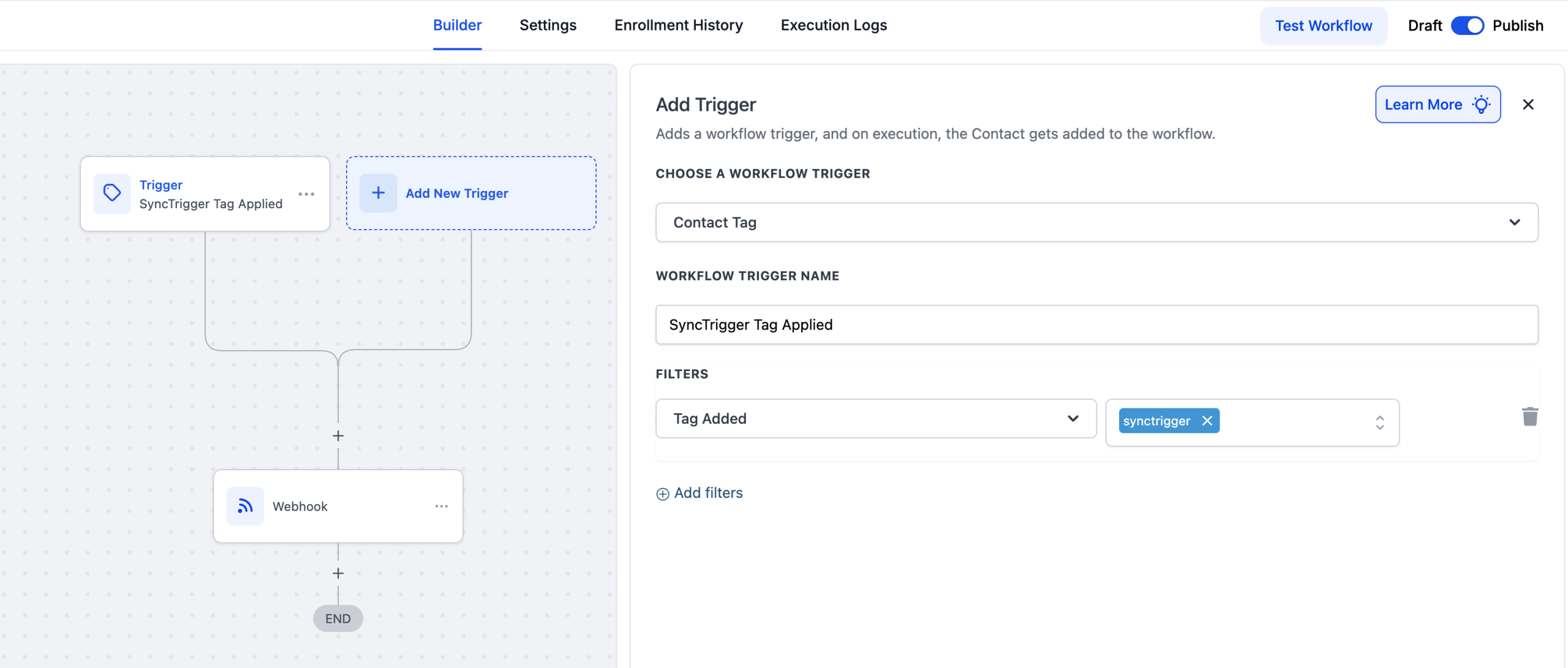
- Create an automation named something like "Sync Member."
- Trigger it with Tag Applied on a tag called
SyncTrigger. - Add the Webhook action: method POST, the update URL, nothing else to configure.
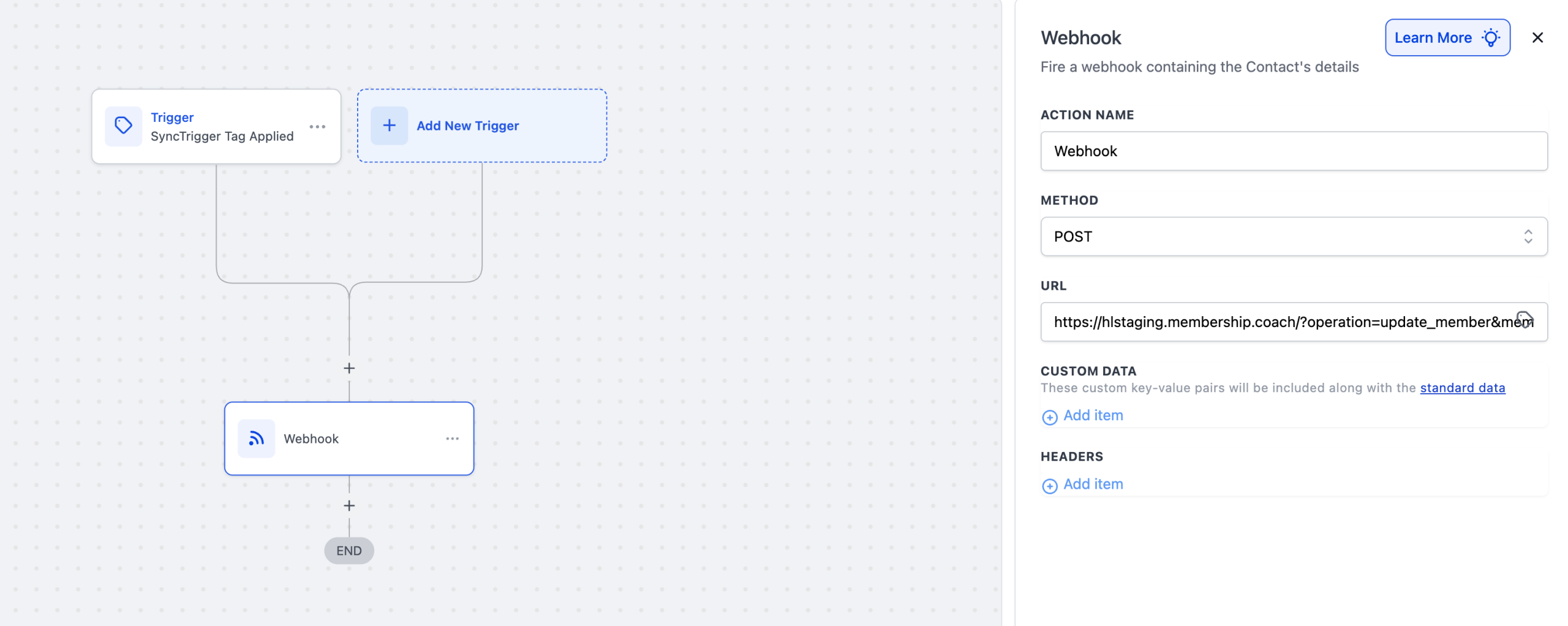
- Finish with an action that removes the SyncTrigger tag.
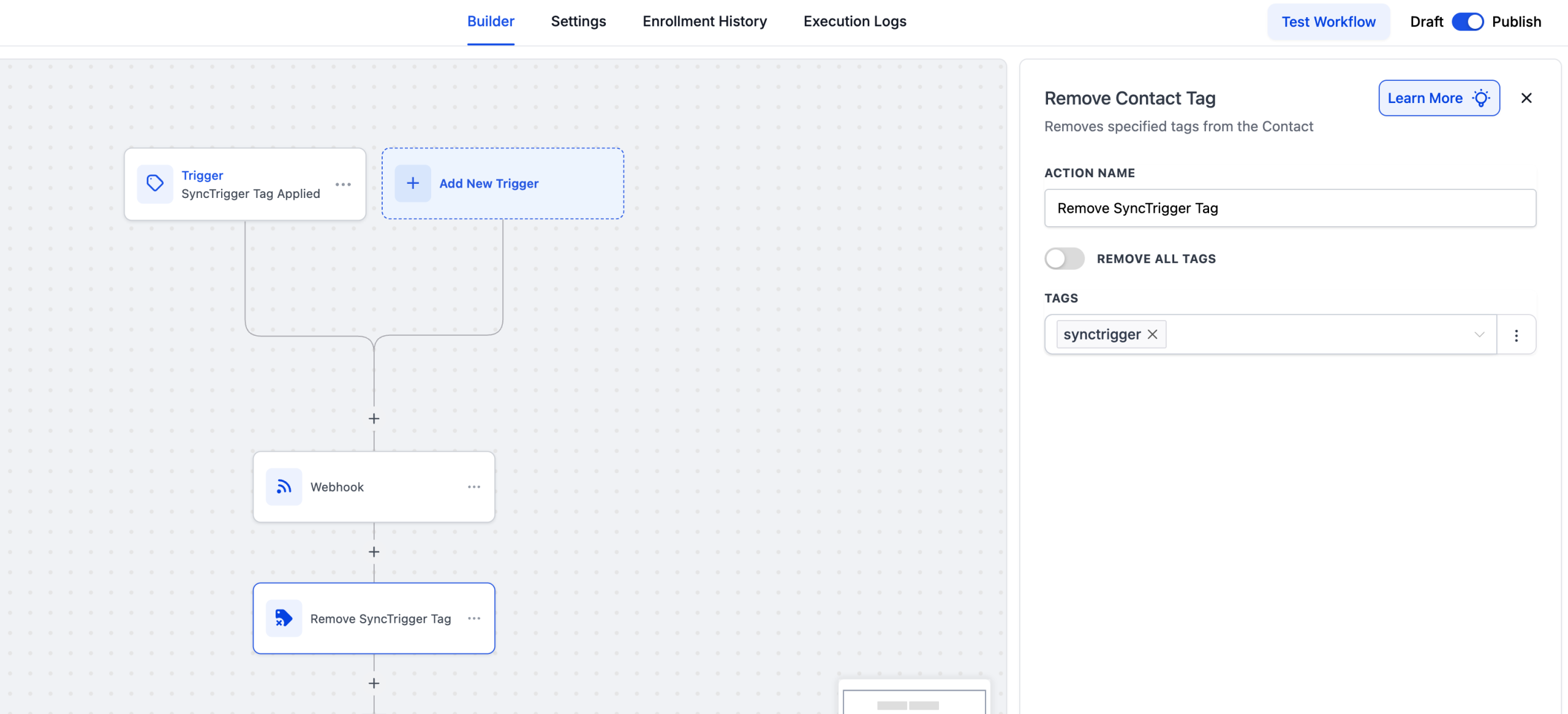
Now "sync this member" means "apply the SyncTrigger tag" from any other automation, or by hand on a contact. The webhook URL lives in exactly one place.
Test it
Add a tag to a contact in HighLevel, apply the SyncTrigger tag, and give it 30 seconds to a minute. Then check the member in WordPress: the tag should be there.