Passkeys
Passwordless WebAuthn login. Members sign in with a passkey from their device instead of a password. Optional per member.
Passwords are the weakest link in any membership site, and the damage isn't evenly distributed. Members reuse passwords, so your site bleeds accounts every time some other site leaks theirs. Reset flows become an attack surface. And the members most likely to have weak passwords are the least likely to cope when a botnet finds them. Passkeys fix both sides of that: a passkey can't be phished, reused, or leaked from another site, because there is no secret stored anywhere an attacker can reach.
A passkey lives on the member's device: Face ID, Touch ID, Windows Hello, a hardware key, or a phone passcode. When a member signs in, their device vouches for them without ever sending a password anywhere. The member experience is a prompt and a glance, which is faster than typing a password, let alone a reset email round-trip.
Adoption is at the member's pace. Each member manages their own passkeys from a [memb_passkeys_setup] page and can remove a lost device from [memb_passkeys_manage]. Members who prefer passwords keep them; members who adopt passkeys stop being your phishing risk. The login form itself recognizes either path without any configuration.
Because passkeys are per-device rather than per-account, a lost phone doesn't mean a lost member. Any other enrolled device, or the account recovery flow you already run, gets them back in. One interaction to know about: SSO enforcement rules that bind a member to an identity provider also refuse their passkey, since the passkey is another login path and the promise covers every door.
Passkey-only sign-in
Administrator and editor accounts attract brute force the way the biggest house on the street attracts burglars. The Passkey-Only Roles setting on Membership → Settings → Passkey Settings closes that door: pick the roles, and any member of those roles who has registered a passkey can no longer sign in with a username and password at all. The password path is gone, so a botnet guessing passwords, or an attacker holding a password leaked from another site, gets nothing.
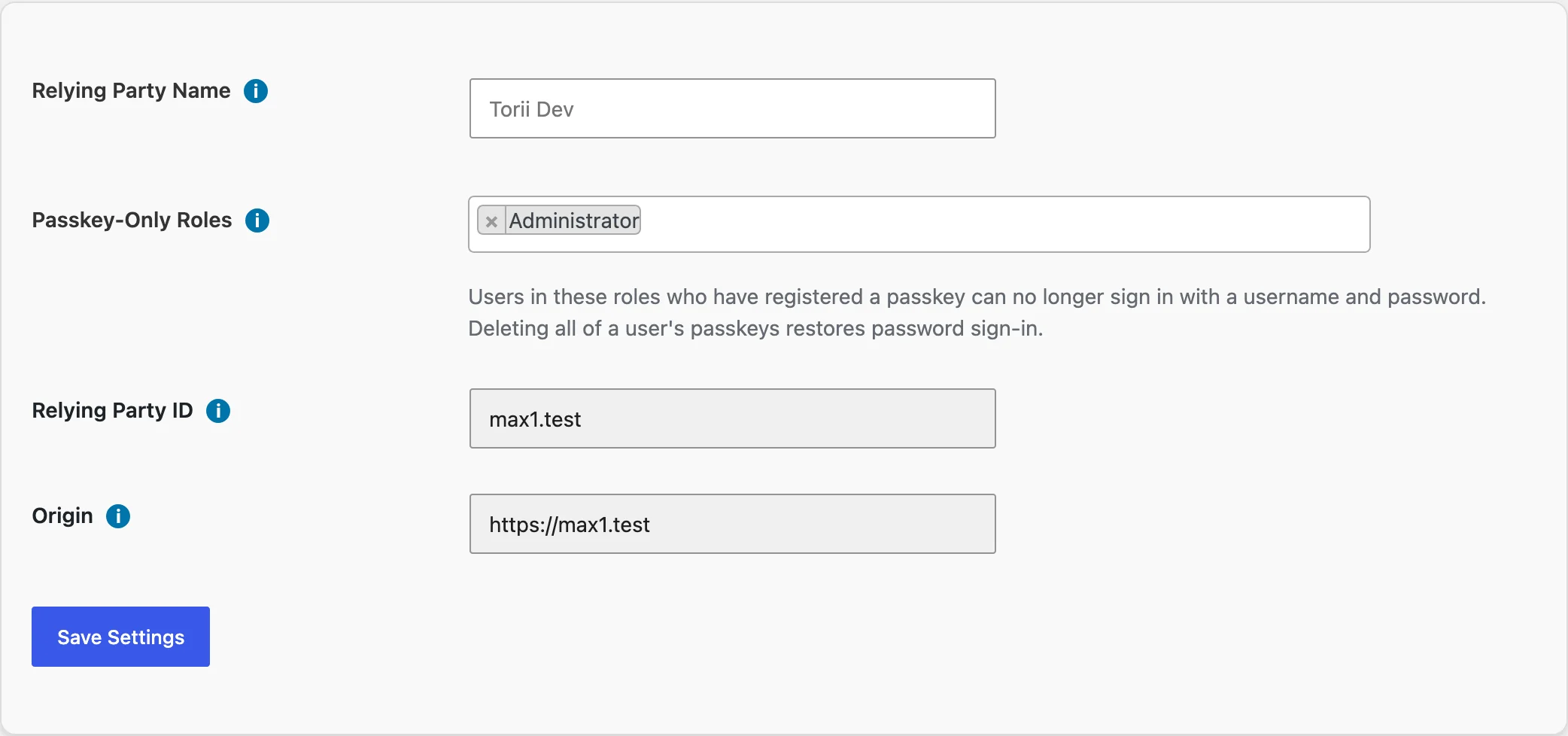
The rule arms itself per member, at the moment they register their first passkey. A member of a required role who has not enrolled a passkey keeps signing in with their password until the day they do. Delete a member's last passkey and their password works again, which is your break-glass path for a locked-out colleague: an administrator removes the passkey from the member's profile, the member signs in with their password, then re-enrolls the replacement device.
Integration credentials keep working. Application passwords, the kind REST and XML-RPC integrations use, are unaffected by the lockdown, so your publishing tools and connectors stay connected.
One deliberate detail: a refused password attempt returns the same "The password you entered... is incorrect" error WordPress always shows. An attacker never learns that the account is passkey-only, which would otherwise tell them exactly which attack is left. Every refused attempt is written to the event log, so you can watch the hits that bounced off.
Members of roles you did not select notice nothing. The setting only restricts the roles you name, and only after each member's own passkey exists.
Shortcodes
| Shortcode | What it does |
|---|---|
| [memb_passkeys_manage] | Lists the current user's registered passkeys with rename and delete actions. |
| [memb_passkeys_setup] |